AI plugin · Conversational idea workspace

Spark
Give your ideas somewhere to go.
I built Spark to capture, organize, and develop ideas through AI conversations, with persistent data behind the conversation.
Building AI-native tools, plugins & connectors
Use it where you think
Same ideas,
multiple assistants.
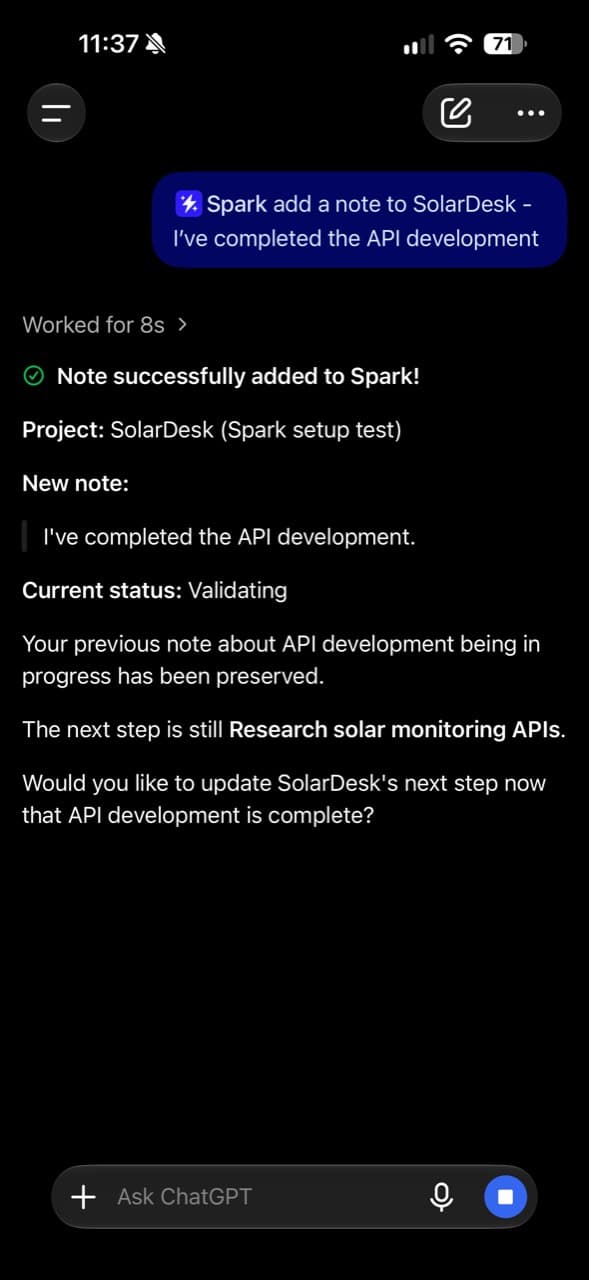
I wanted to learn how to build ChatGPT plugins while solving a problem I kept running into: useful ideas were scattered across chats. Spark gives them a persistent home.
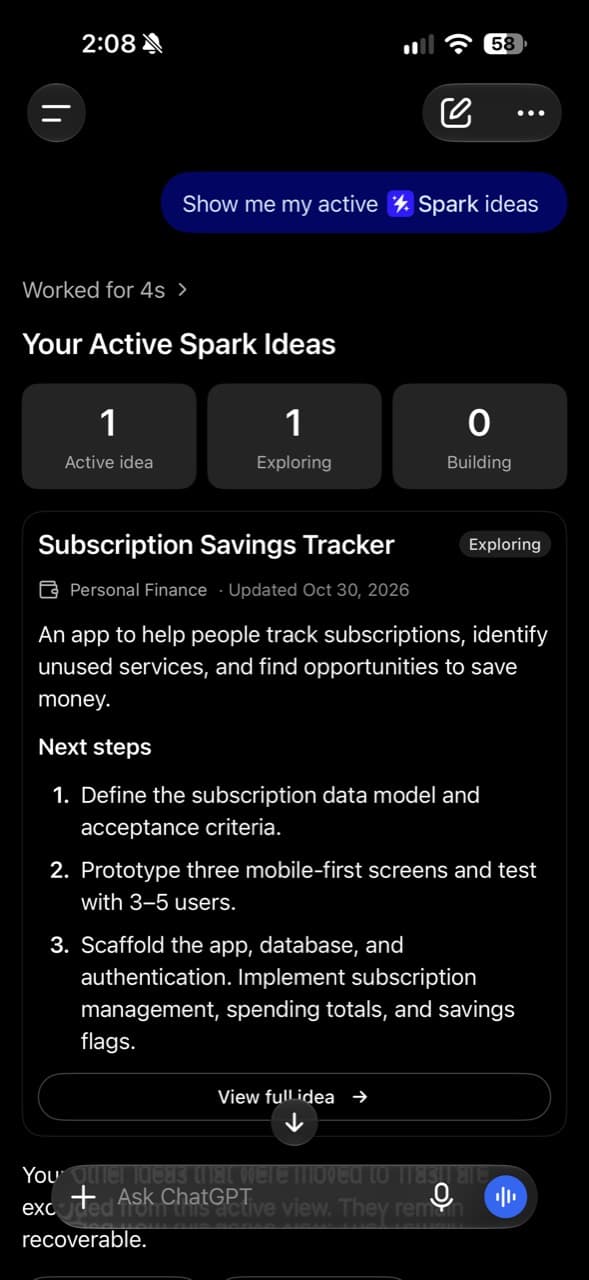
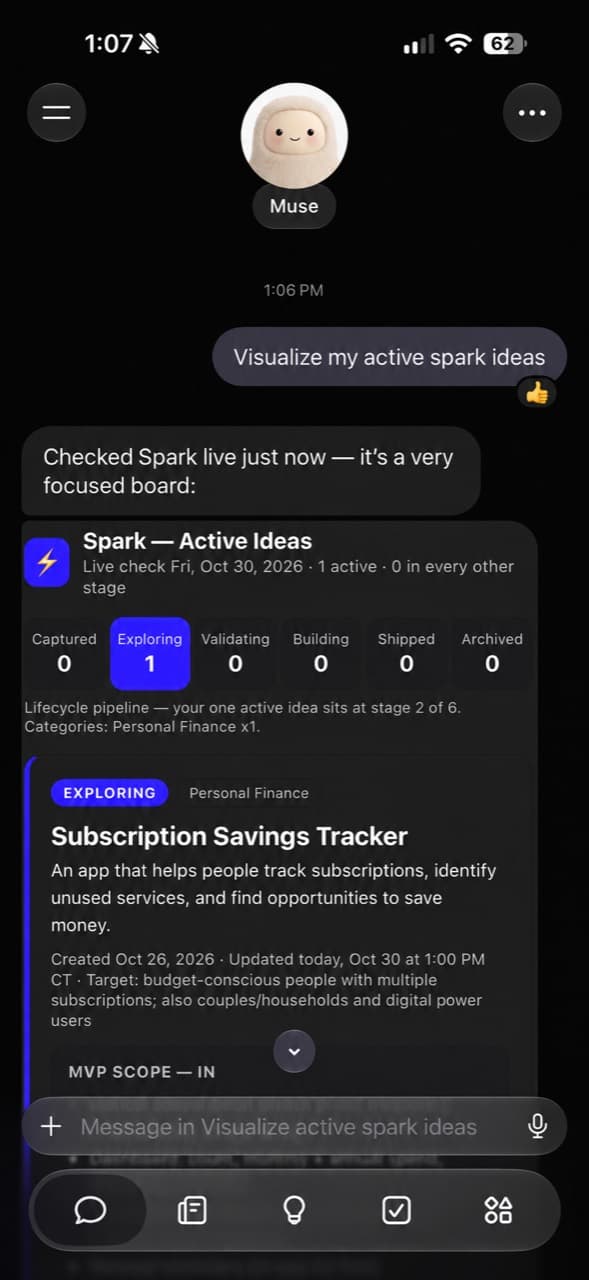
ChatGPT · Shows Spark’s active ideas and the Subscription Savings Tracker.
Muse · Shows Spark’s active ideas and the Subscription Savings Tracker.
Capture in conversation
Save an idea without switching to another app.
Organize and develop
Add notes, track progress, and return to the next step.
One collection behind it
Approved clients reach the same backend and stored ideas.
How it works
Simple architecture,
practical by design.
The AI client handles the conversation. My TypeScript MCP server handles focused idea operations. Supabase provides OAuth and PostgreSQL persistence.
Explore the engineering decisions
Eight tools keep reading, updates, notes, history, trash, and restore explicit. Separate approved OAuth identities share one backend without copying ideas or sharing credentials.
The server validates signed access tokens for the exact resource, approved client, and owner. Consent callbacks are bound to the client requesting access.
The separate React landing page explains Spark. It does not connect to the backend.
ChatGPT
Muse client support
Spark MCPTypeScript · Node.js
Eight focused tools
OAuth · PostgreSQL
One idea collection
Client-bound access · Owner-only authorization · Hosted on Vercel
Building Spark
How the project evolved.
From the first tools to a workspace built for more than one AI interface.
One workspace, multiple approved clients
I extended OAuth for a separate Muse application while keeping owner-only access, eight MCP tools, and one idea database.
Deployed implementation · Live Muse verification pending.
Read the multi-client story ↗A separate landing page
I added an independent React and TypeScript frontend with an interactive iPhone demo.
From four tools to eight
Notes, persisted history, reversible trash, and restore expanded the original capture-and-retrieve loop.
Show 2 earlier milestonesHide earlier milestones
Connected through ChatGPT
The deployment record confirms owner connection and authenticated idea listing after the client authentication configuration was corrected.
Read the first build story ↗The first MCP tools
I started with save, list, get, and update, backed by Supabase storage and owner sign-in and consent.
Go deeper
Learn more about the build.
The implementation decisions, integration boundaries, and lessons behind Spark.

What’s next · Exploration
Continuing to evolve.
My next focus is documenting live Muse discovery and retrieval, then exploring a smoother client-aware reconnection flow.
Read the latest engineering story